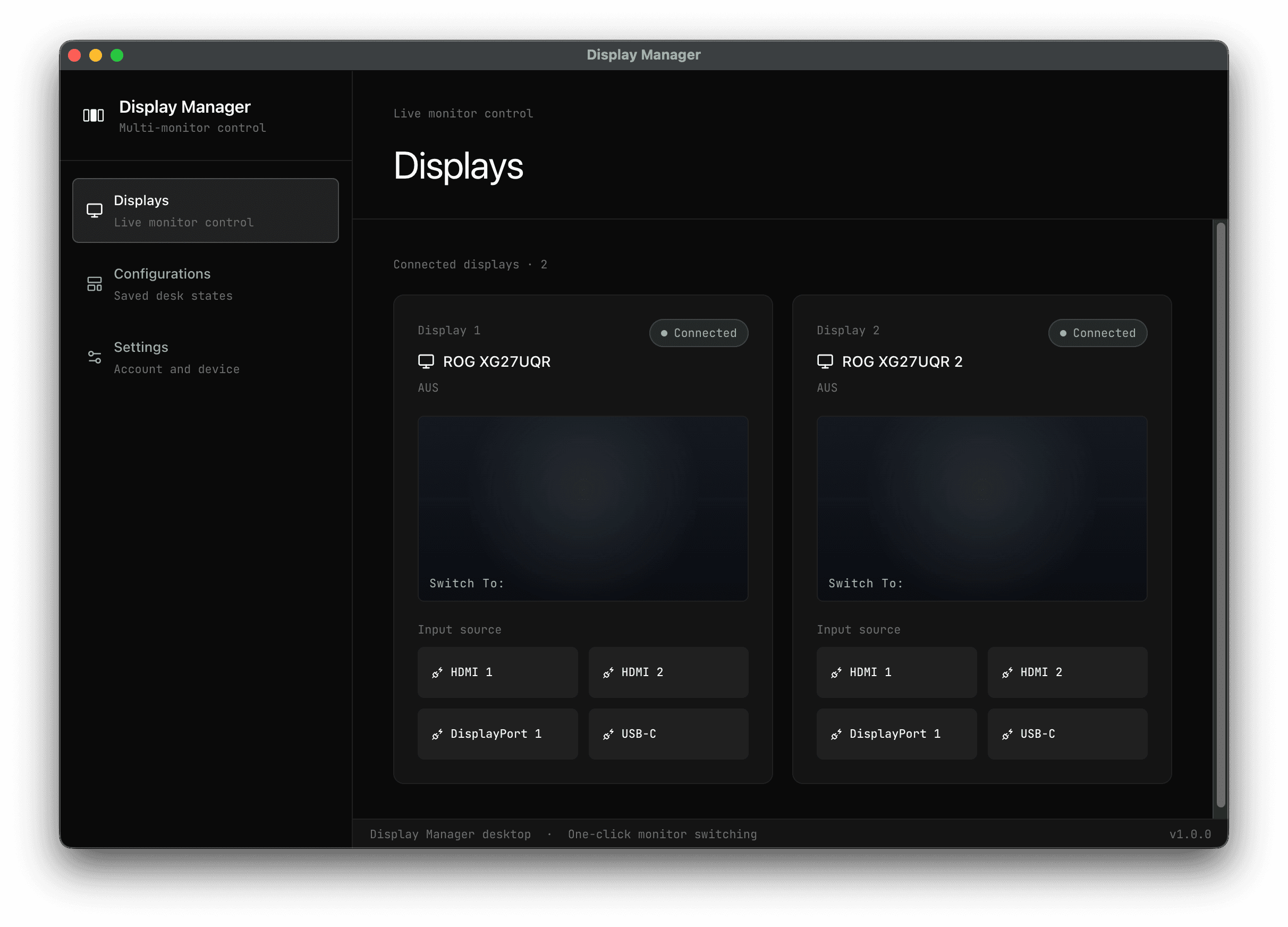
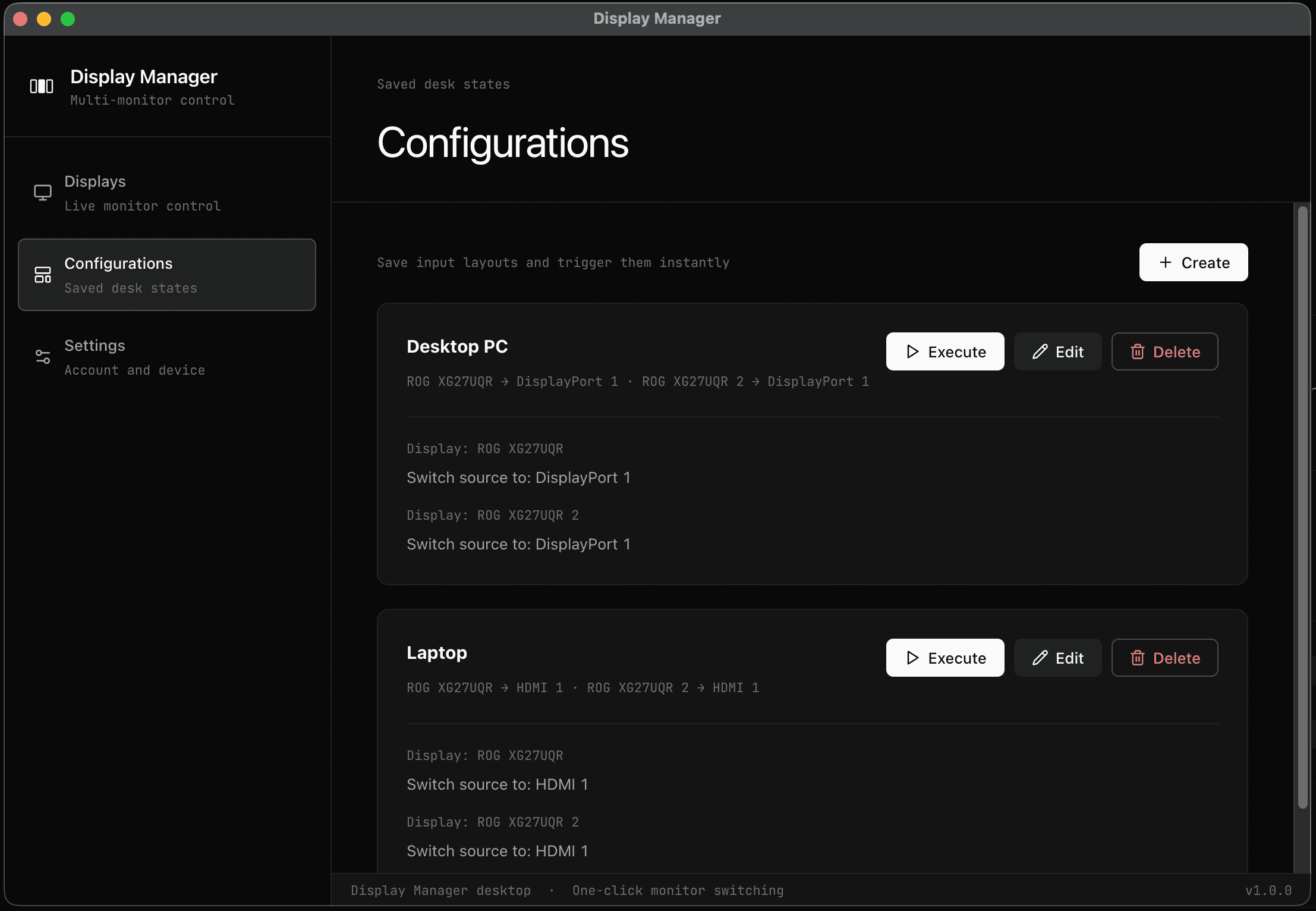
Create display configurations
Create multiple configurations with different settings for each display.
With Display Manager's powerful features, you can easily manage your monitors and switch between multiple connected computers.
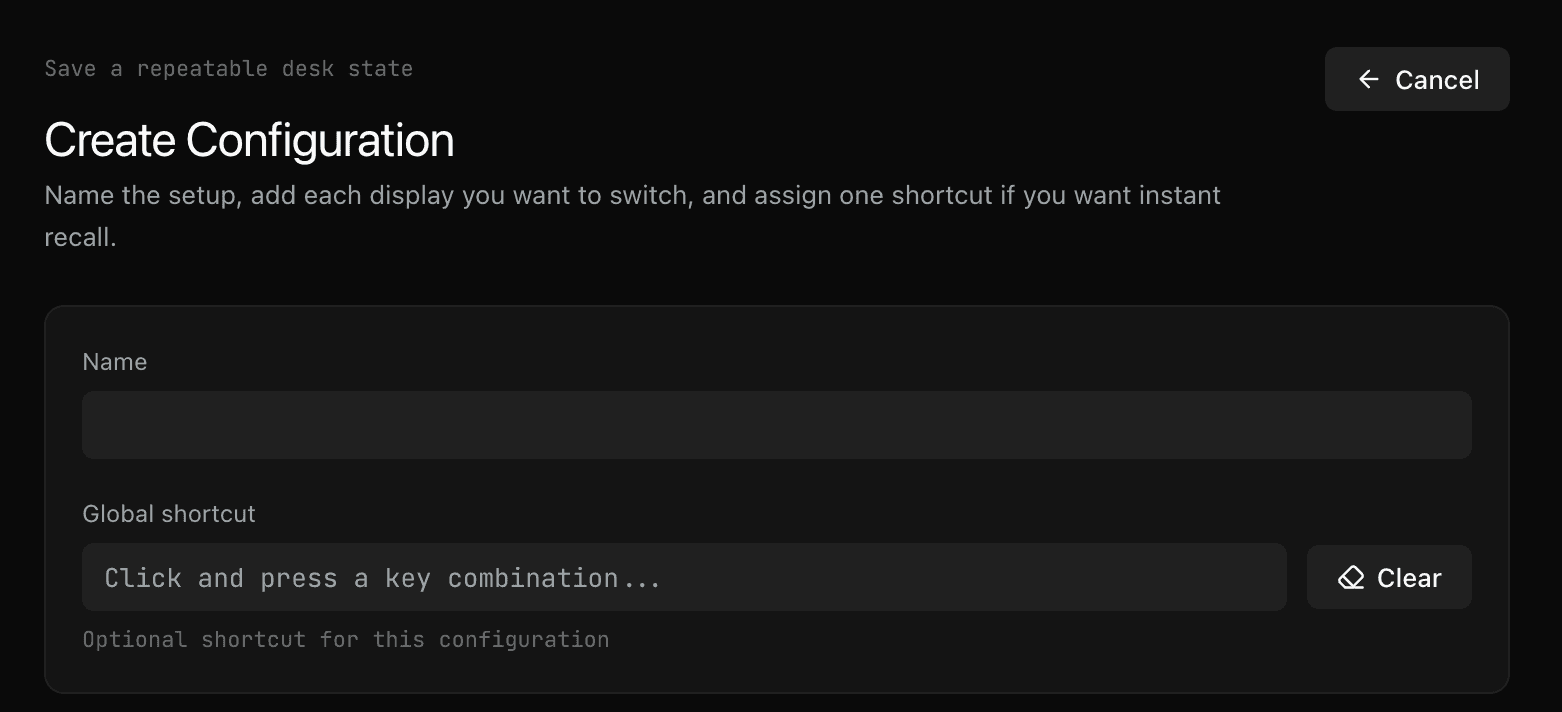
Create multiple configurations with different settings for each display.
Create custom shortcuts to trigger your configurations without opening the app.
Display Manager makes it easy for you to switch context working with mutliple computers, you can switch between them with just a click, even with multiple screens.
Our configurations allows you to specify the source of each display, allowing you to switch all monitors at once
Install the app in just one computer and you can switch the connected monitor sources, even if they are not active on that computer (showing other computer screens)
Display Manager can run in the background so you can trigger the displays configurations without having to open the application
Create custom shortcuts to trigger your displays configurations with custom key combinations.
Save the monitor arrangement you use for work, meetings, or gaming and reapply it without rebuilding the whole setup.
Use the language your monitors already use: HDMI, DisplayPort, USB-C, standby state, refresh rate, and saved trigger shortcuts.
For testing and basic usage
Ideal for high productivity users
License packages generally for enterprise needs
Here are the most questions people always ask about.
With the variaty of monitor models that exists it's imposible to give a certain answer, it should work with most modern monitors, but you can try it for free!
With the free version, you can save up to 2 configurations. Pro removes that limit.
Display Manager currently supports macOS and Windows.
You just need a Mac or Windows OS, and a monitor connected through a cable that supports DDCCI
Pro licenses are lifetime seats. You sign in with your account and each Pro license can be assigned to up to 3 devices.
It makes use of the IO registry to retrieve information about the monitors and then uses DDCCI to trigger actions on them.